


Truecaller: Spam Call Blocker
4.4157.46K Reviews
App Specs
- Version
- Varies with Device
- Updated On
- License
- Free
- Downloads
- 1,000,000,000+
- Developer
- Truecaller
- Categories
- Communication
- Platform
- Android
Screenshots
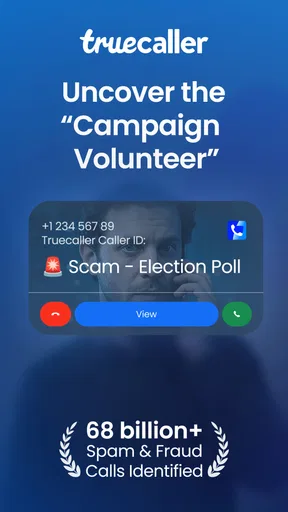
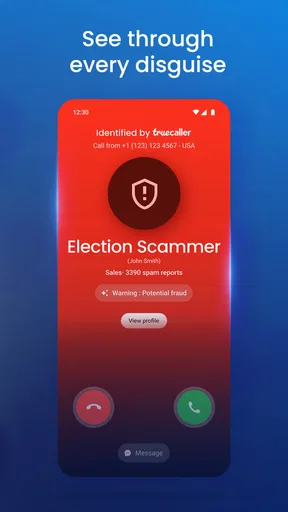
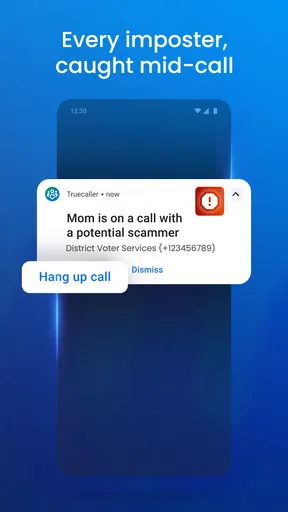
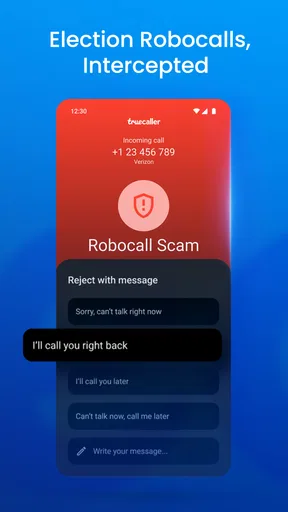
 Analysis by AppCompare
When a phone is shared around a household, an unfamiliar caller can leave everyone wondering whether to answer or let it ring. I find Truecaller: Spam Call Blocker most useful as a quick way to add context to incoming calls, especially when a number is not saved in the phone’s contacts. It is a communication app from Truecaller, and its central appeal is straightforward: help people identify and manage unwanted calls rather than making them guess from a string of digits.
One phone, several people, different expectations
Shared-device use makes caller identification more than a convenience. A parent might be expecting a school call, another adult may be waiting for a delivery, and a teenager may be screening unknown numbers. In that situation, a caller label can help the person holding the phone make a better-informed choice. It does not replace a quick household conversation about who is expecting what, but it can make those handoffs less confusing.
A realistic example is a family phone left in a common room while someone is busy cooking or helping a child. If an unfamiliar number appears, the next person can see the caller information and decide whether to answer, ignore it, or check with the person who was expecting a call. I would treat that information as a clue, not proof of identity: a name or warning is useful context, but it should not be the only basis for sharing private details.
Guides and Analysis on Truecaller: Spam Call Blocker
Set boundaries before handing over the phone
The app’s value depends on being comfortable with how it fits into the phone’s communication setup. During setup, I would review each permission prompt rather than accepting everything automatically. Contacts and call-related access can support the features people expect from a caller ID and blocking tool, but those choices also deserve a little thought on a device used by more than one person.
For a shared phone, decide who will handle the account and settings, and make sure everyone knows that the app is not a family-management system. It can help identify calls and filter unwanted communication, but it should not be treated as a way to supervise another person’s conversations. If household members have different privacy preferences, a single shared setup may not suit everyone equally.
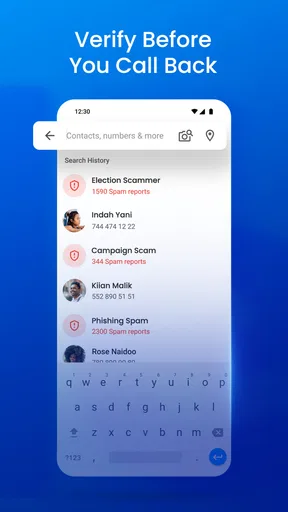
It is also worth agreeing on what to do when the app labels a call as suspicious. I would avoid calling back or disclosing personal information just because a screen shows a familiar-looking name. If the call concerns a bank, delivery, school, or service provider, use a contact method the household already trusts to verify it. That small habit keeps caller ID useful without giving it more authority than it deserves.
Using caller ID as a household tool
I find it useful to think of caller ID as a prompt for a household decision, not a verdict: who might be calling, who is expecting a call, and whether it is worth interrupting someone. That distinction matters most when a phone changes hands, because the person answering may not know the context. From there, the practical question is how to set boundaries so shared access does not become shared access to everyone’s private communications.
Worth Reading Before You Choose

ESPN’s Live Game View Makes Following Close Games Easier

QuizzLand Review: A Good Fit for Short Trivia Breaks, Not Every Player

Basketball Stars: Multiplayer Is Fast, but Can It Recover When Matches Go Wrong?

WEBTOON Turns Phone Updates Into a Better Reading Routine

Link to Windows Runs on Shared Habits, Not Social Feeds

How Alibaba.com Dominates the B2B Marketplace
Make coordination practical, not automatic
Truecaller can be helpful when one person answers a call for someone else, but it cannot know the household’s plans. If a relative is waiting for an appointment call, tell the person using the phone to pass along the message rather than assuming the app will identify every relevant caller perfectly. Similarly, if someone is expecting a call from a new number, that number may not be recognized, so a household should not equate “unknown” with “unwanted.”
For parents and caregivers, a useful approach is to explain the difference between a warning and a decision. A spam indication can prompt caution; it should not create panic or become a reason to ignore every unfamiliar caller. Children and older relatives may benefit from a simple rule: do not share codes, passwords, or payment details on an incoming call, and ask a trusted adult or family member when uncertain.
Age, trust, and sensible expectations
The app is rated for Everyone, which makes it broadly accessible, but that does not mean every household member will need the same guidance. Younger users may need reminders about unknown callers, while adults may want to understand the app’s permissions and account choices before using it on a shared device. I would set expectations in plain language and avoid presenting any caller label as a guarantee.
Trust is also a matter of how much responsibility you want an automated filter to take. Some people prefer to let known spam be blocked; others would rather see a warning and make the decision themselves. Where an important call could come from a new number, a more cautious blocking approach may be inconvenient. Reviewing how the phone handles unwanted calls and checking missed calls periodically can help reduce that risk.
Who benefits, and who may prefer another option
I think the app is a good fit for people who receive frequent calls from unfamiliar numbers, want caller context before answering, or need help keeping obvious spam from interrupting daily routines. It can also be handy for households where a phone is passed between adults and someone needs to decide whether a call is relevant. The free price makes it easy to try, while in-app purchases range from $0.99 to $449.00 per item, so I would check the purchase details carefully before choosing anything paid.
Someone who rarely gets unwanted calls may be better served by the phone’s built-in call controls. Those are often the simpler choice if the main goal is just silencing unknown callers or blocking a number manually. Likewise, anyone who prefers not to grant an additional communication app access to call or contact information may reasonably stick with the tools already on their device. The trade-off is that a basic built-in filter may offer less caller context than a dedicated identification service.
Compared with other approaches in the same category, Truecaller’s appeal is the combination of caller identification, spam handling, and messaging tools in one place. A phone’s native dialer is usually more convenient because it is already part of the device, while manually checking a number through a search engine takes extra effort and may produce uncertain results. I would choose the app when incoming-call context is a regular need; I would keep the built-in option when privacy simplicity matters more than extra identification.
What the service feels like in everyday use
The most useful workflow is not to inspect every call obsessively, but to let the caller information help with the calls that would otherwise interrupt you. If you are in a meeting, driving, or caring for someone, a spam label can make it easier to leave a likely nuisance unanswered. If the call might be important, you can assess the displayed context and decide whether to return it later. That distinction keeps the app from turning normal phone use into constant checking.
When a legitimate caller is unfamiliar, do not assume the app will always identify them. Businesses can call from numbers you have never seen, and people may use a new number. If you are expecting a time-sensitive call, tell the caller or household member to leave a message where appropriate, and check missed calls instead of relying exclusively on automatic identification. That is a practical way to balance fewer interruptions with the chance of catching something important.
For messages, filtering can reduce clutter, but it is still sensible to review filtered or separated messages occasionally if you use the feature. A legitimate text can resemble promotional or unwanted content, especially when it arrives from a number you have not saved. I would not assume that a clean main inbox means every useful message has landed there; a quick review is a low-effort safeguard.
Scale, cost, and the role of the free option
Truecaller has been available since May 31, 2012, and its reach is substantial: it has more than 1 billion installs, around 28 million ratings, roughly 158,000 written reviews, and a 4.4 average rating. Those figures suggest that it is a familiar choice for many phone users, though popularity alone cannot tell you whether its permissions or style of filtering suit your household.
The app is free to install, and the basic purpose is easy to understand without paying. The premium option may appeal to people who want added features such as an ad-free experience or more advanced blocking, but I would first use the free version long enough to decide whether caller identification actually changes your routine. In-app purchase prices vary widely, so check the specific item and terms shown in the app rather than treating every paid feature as one fixed subscription.
It runs on Android starting with version 8.0, which is relevant if an older household phone is being repurposed. Before relying on it for a shared device, make sure the phone itself can run the app and that the person managing it is comfortable with the setup. A smooth experience on one person’s phone does not automatically make the same arrangement ideal for every family member.
A closer look at the original setup and features
Getting started with Truecaller was a breeze. After a quick download from the app store, I was greeted with a clean, intuitive interface that even my grandma could navigate. The setup was straightforward, asking for the usual permissions to access contacts and calls, which is essential for it to work its magic.
The app immediately began identifying calls and labeling them as spam, potential fraud, or genuine. It’s like having a personal assistant who’s always on high alert, ready to screen unwanted calls.
The Features That Stand Out
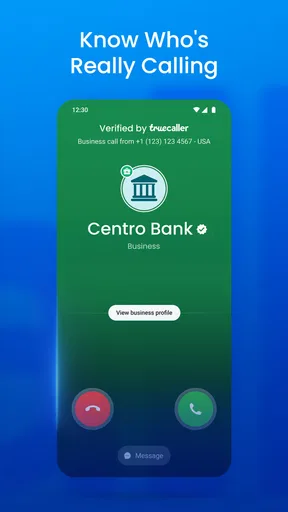
Now, let’s talk about the features that really make this app worth its weight in gold. First up, the caller ID feature. It's incredibly accurate. Imagine seeing the name of the person calling you, even if they’re not in your contacts. Pretty neat, right?
Another favorite of mine is the spam call blocking. With a database that’s updated constantly, it’s like having a bouncer who only lets in the right people. The app automatically blocks known spam numbers, so you don’t even have to lift a finger.
"Truecaller is like having a guardian angel for your phone."
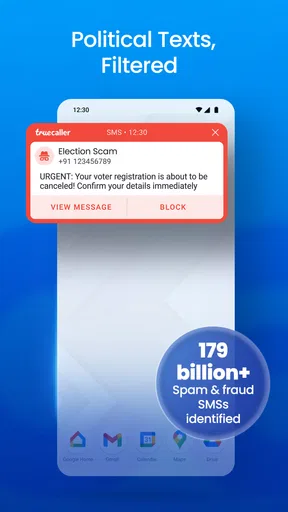
And, oh, the smart SMS feature! It filters out spam messages and helps keep your inbox clean. It’s pretty satisfying to see those pesky promotional texts disappear into oblivion.
Real-Time Benefits
One of the things I love is the community-powered system. Users can report spam numbers, which helps keep the app updated in real-time. It's like being part of a secret club that helps each other out, and who doesn’t love a good community vibe?
Also, the call recording feature is a lifesaver for those important calls you might need to reference later. Just be sure to check the legality in your region, as this can vary.
Does It Really Work?
In a word—yes. Since installing Truecaller, the number of spam calls I receive has drastically reduced. I no longer dread those unknown numbers popping up on my screen, and I can’t tell you how good it feels to take back control of my phone.
The app also offers a premium version with some extra perks like an ad-free experience and advanced blocking options. I tried it out, and while the free version is fantastic, the premium features are the cherry on top if you’re willing to spend a little.
Some Final Thoughts
Overall, Truecaller: Spam Call Blocker is an app I didn’t know I needed until I had it. It’s perfect for anyone tired of spam calls or just looking to have more control over their communication. With a host of features that are both practical and easy to use, it’s a must-have for anyone with a smartphone.
So, if you're on the fence about whether or not to try it, I'd say give it a shot. Your phone will thank you, and you’ll wonder how you ever managed without it. Download it from your app store today and see the difference it makes!
Pros
- Efficiently blocks spam calls.
- Identifies unknown numbers.
- User-friendly interface.
- Regular updates enhance features.
- Low impact on battery life.
Cons
- Requires internet for full functionality.
- Limited features in free version.
- Some legitimate calls misidentified.
- Data privacy concerns.
- Ads in free version.
FAQs for Truecaller: Spam Call Blocker
What is Truecaller and how does it work?
Truecaller is a caller identification and spam blocking app designed to help users identify unknown numbers and block unwanted calls. It uses a vast database of user-submitted contact details to display caller information, ensuring you know who’s calling. It also automatically filters spam calls to keep your phone ringing only for genuine contacts.
Is Truecaller safe to use in terms of privacy?
Truecaller takes privacy seriously by allowing users to manage their own data. You can decide whether to make your contact information available and can remove your number from their database if desired. The app uses encryption to protect your data, but it’s always advisable to review its privacy policy to understand how your information is handled.
Does Truecaller work offline or require an internet connection?
Truecaller requires an internet connection to access its database for caller identification and spam blocking features. While some features like call logs can be viewed offline, the app needs to connect to the internet to provide real-time identification and updates on spam numbers.
Can Truecaller block all spam calls effectively?
Truecaller is highly effective at blocking spam calls, thanks to its extensive database and community-driven spam reporting. However, no app can guarantee 100% effectiveness, as new spam numbers emerge constantly. Users can contribute by reporting spam numbers, enhancing the app’s efficiency for everyone.
Is Truecaller available for free, and what are the premium features?
Truecaller offers a free version with essential features like caller ID and spam blocking. For advanced features, users can subscribe to Truecaller Premium, which includes benefits like ad-free experience, the ability to see who viewed your profile, call recording, and more. The premium version enhances the overall user experience.


